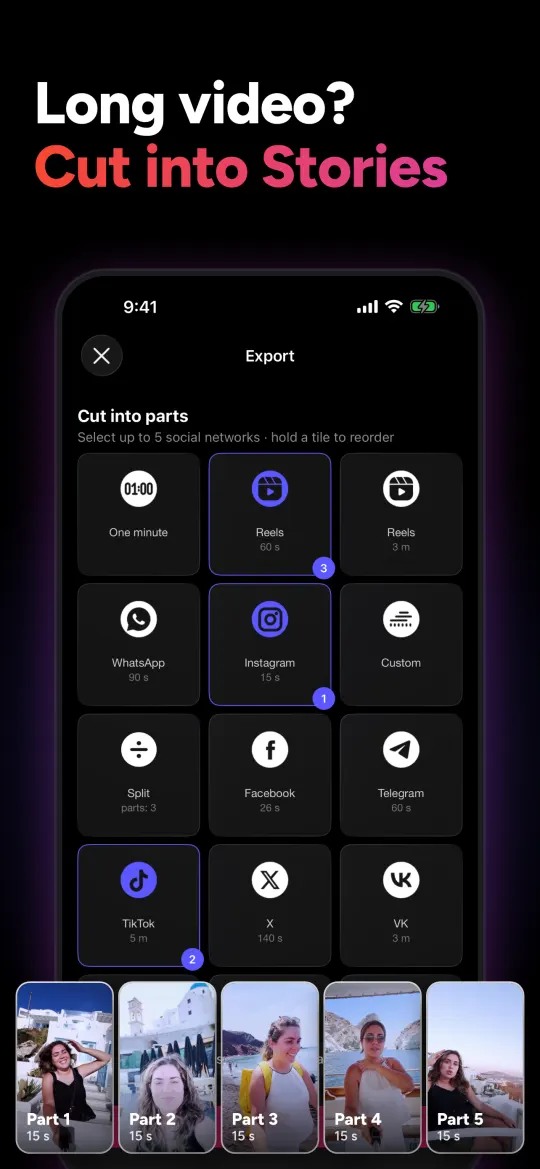
Long video? Cut it into Stories.
CutStory splits any video into parts of the right length for the network you choose and saves them to your Camera Roll in order. Then add subtitles, music and text, or let the AI assistant do the editing.
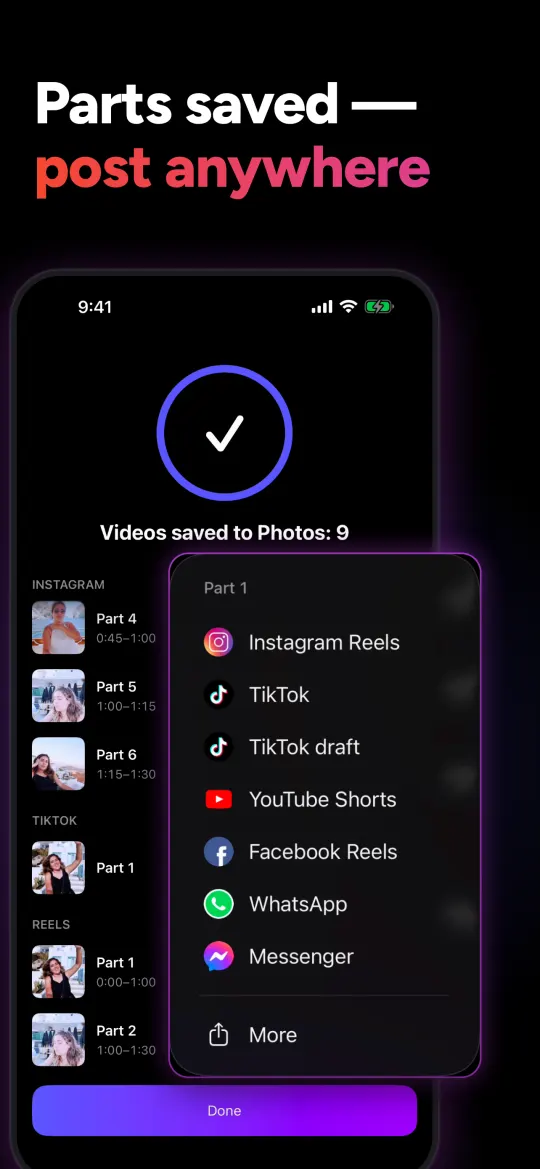
Pick a network, tap Save — the parts are numbered and ready to post.
Cut for any network in one tap
Choose a network and CutStory already knows its part length: Instagram 0:15, WhatsApp 1:30, TikTok 5:00. Pick several networks at once to get a set of parts for each.
- 18 length presets, plus your own length from 1 second to 10 minutes
- Equal parts or At pauses: cuts land on pauses in speech
- Parts saved to the Camera Roll in order, with numbers
- Share each part straight to Instagram, TikTok, YouTube Shorts, Facebook or WhatsApp
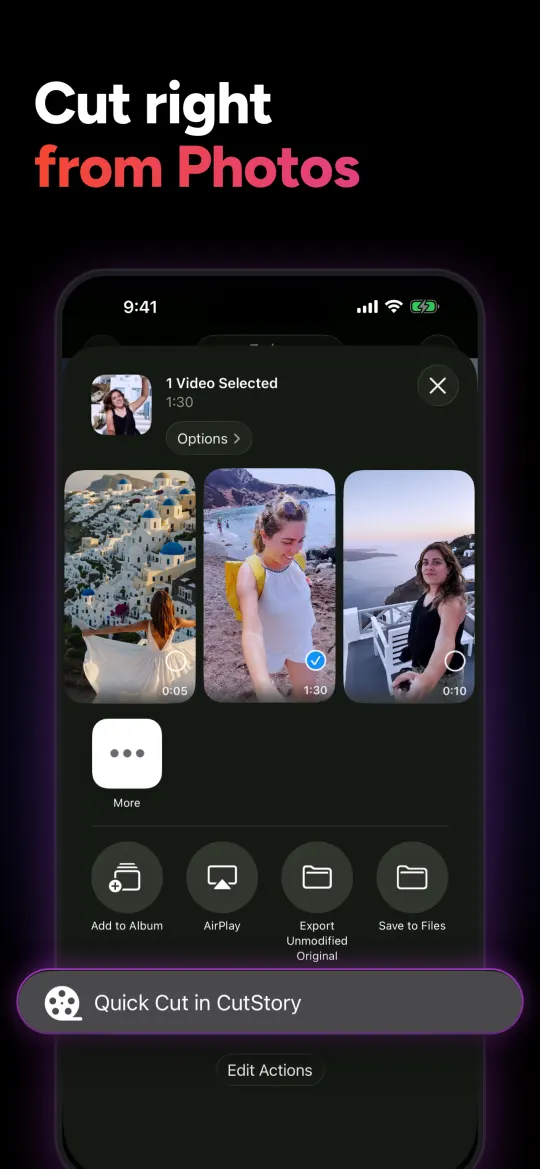
Cut straight from Photos
Open a video in Photos, tap Share and choose Quick Cut in CutStory. Pick the network — the parts land in the Camera Roll without opening the app. Works from Files and messengers too.
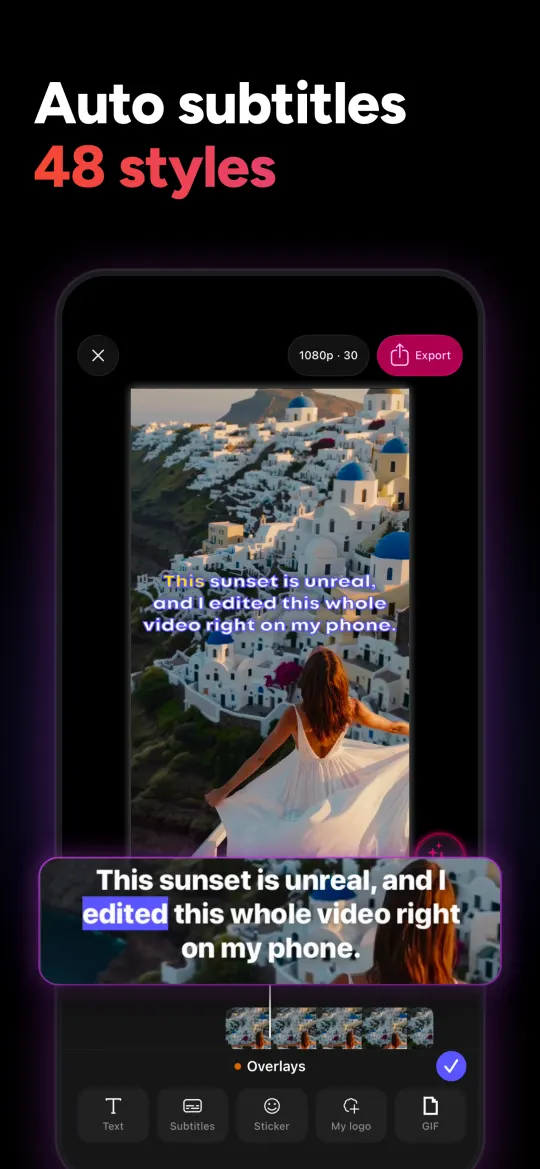
Subtitles from speech
CutStory listens to the audio and lays out captions in sync, word by word or line by line. Recognise on the device — fast and offline — or with the server model for more accuracy.
- 48 subtitle styles, with the active word highlighted
- Your style is kept for the next videos
- Fix any phrase and drag its block on the timeline
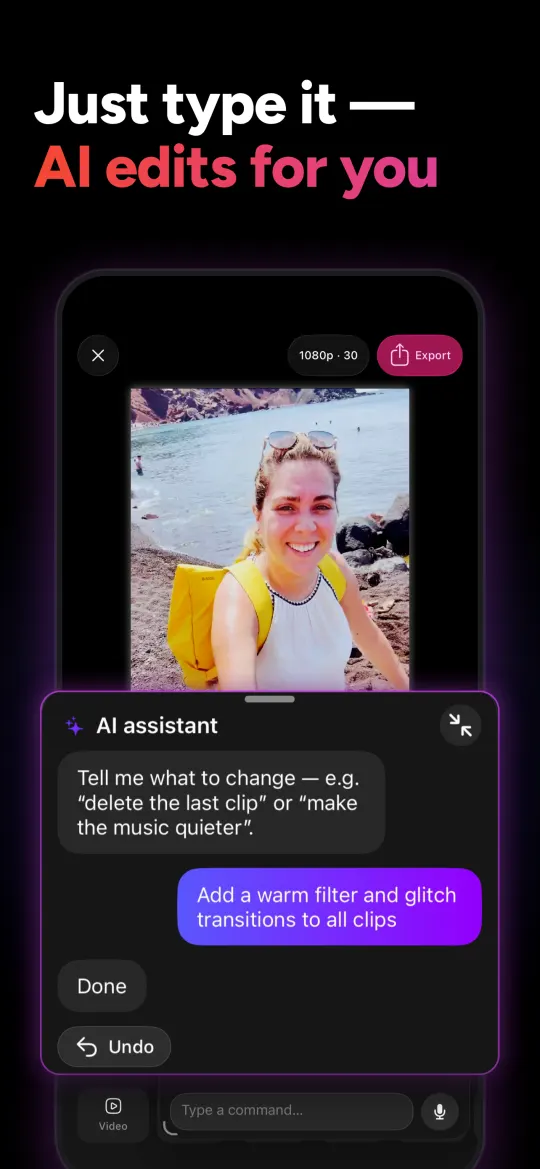
Tell the AI assistant what to do
Type or say a request in plain words — add subtitles, put on music, make it TikTok format, add transitions. The assistant runs the steps one after another and reports what it did.
Record without retakes
The teleprompter scrolls your script over the camera and can follow your voice. Multicamera films with the front and back cameras at once. The music camera plays a track while you shoot in segments, so the video is already in sync.
A full editor on the timeline
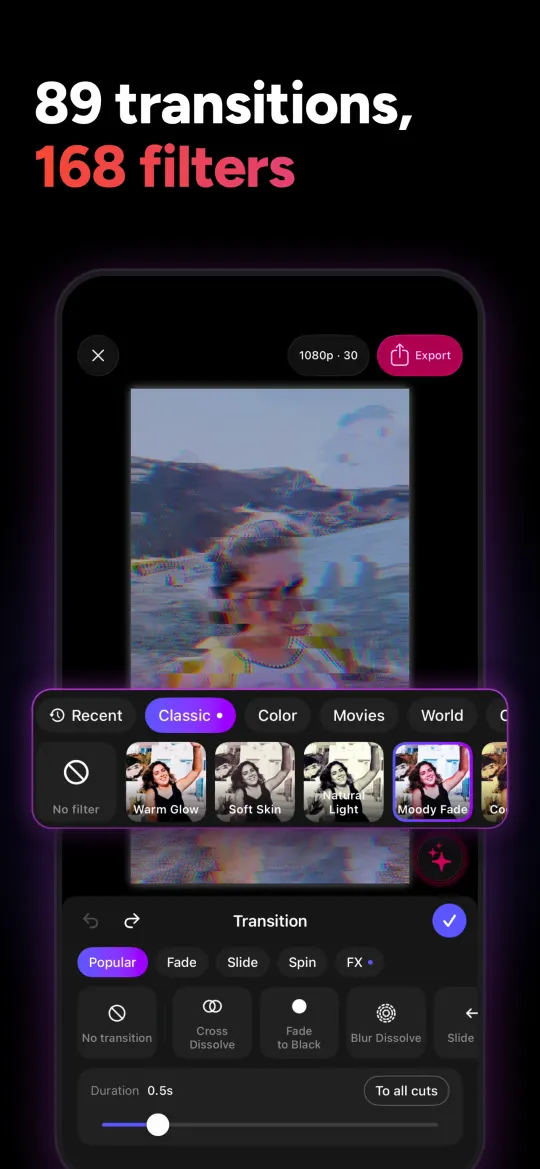
Trim, split and change speed clip by clip. Add 89 transitions and 168 filters, turn a horizontal video into 9:16 with a colour, photo or AI background, put a video over a video, add text, stickers, GIFs and your logo.
- Music from your library, Files or another video, plus voice-over
- Remove silent pauses from speech in one tap
- Slideshows from photos
Clip editingFormat & backgroundVideo over video (PiP)Music & voiceText & stickersSlideshow
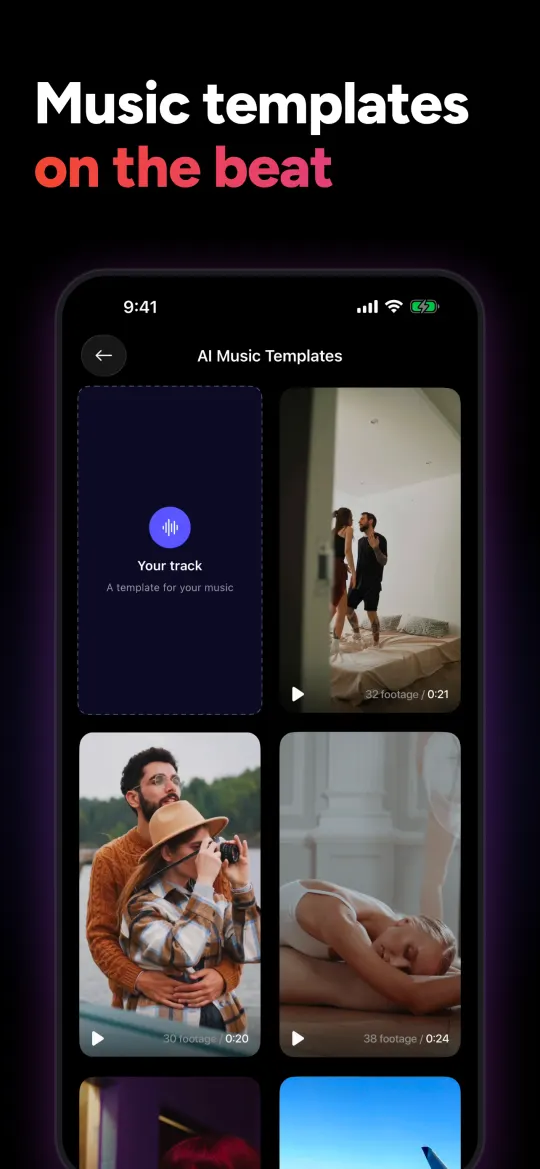
Templates on the beat
Ready templates with cuts, music and transitions already in place. Music templates land every clip on its own beat, and Your track builds a template from any song. Save your own edits as templates too.
Export up to 4K
Save in 720p, 1080p or 4K at 24, 30 or 60 fps, in SDR or HDR. Send to TikTok as a draft or share each part from the app. The project stays in Projects, so you can re-cut it for another network later.
CutStory in numbers
- 18length presets
- 89transitions
- 168filters
- 48subtitle styles
- 19interface languages
How to do it in CutStory
Step-by-step guides for every tool, written from the app itself.
What users say
Real App Store reviews of CutStory, in your language, are collected on our reviews site.

Get CutStory
Free download on the App Store for iPhone and iPad.
Download on the App Store